Here is my LDAP ORG Structure:
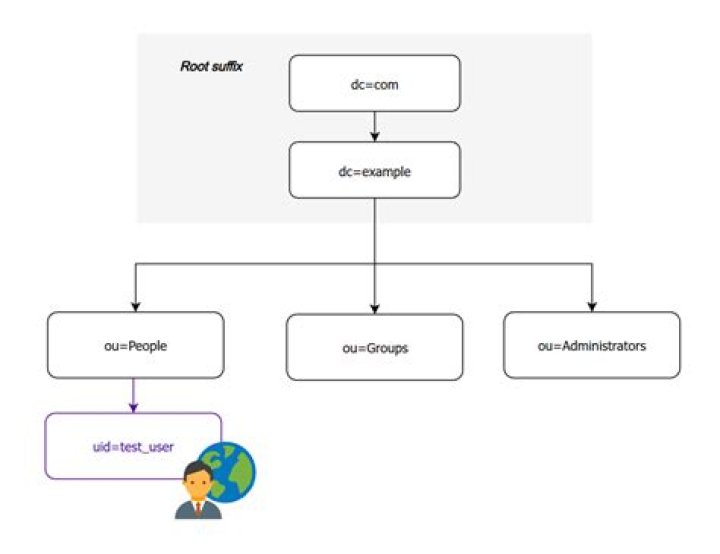
I created user with first, last name with password. But it is not working when am trying to connect using jdbc. Error says invalid credentials. Then I tried ldapsearch as follows:
I followed this process for users and group creation:
root@ip:/home# ldapwhoami SASL/DIGEST-MD5 authentication started Please enter your password: ldap_sasl_interactive_bind_s: Invalid credentials (49) additional info: SASL(-13): user not found: no secret in database root@ip:/# ldapsearch -x -LLL -h ip -D username -w password -b"cn=admin,dc=ivhdev,dc=local" -s sub "(objectClass=*)" "givenName=username*" ldap_bind: Invalid DN syntax (34) additional info: invalid DN Please suggest/correct me, if am passing the right info in DN syntax. I am unable to validate the user credentials with their name and password.
2 Answers
The -D option takes the DN for logging in to your LDAP server.
The -b option takes the search base in your LDAP tree where you want to search for the user's given name.
So, your ldapsearch command becomes:
ldapsearch -x -LLL -h ip -D 'cn=admin,dc=ivhdev,dc=local' -w password -b 'dc=users,dc=local' -s sub '(objectClass=*)' 'givenName=username*' If you use the Apache Directory Studio () you can see the actual ldapsearch commands used by the application. Maybe this is useful for anyone.




