How do I choose 4-8 colors in base R for plots that colorblind people will be able to see?
Below is the base R color pallet. Looking for a solution in BASE R without the use of packages.
Color Palettes for Color Blindness:
Specifically how do I manually create accessible colors in BASE R?
e.g. "vermilion", "bluish green", and "reddish purple" as described in the paper figure below.

5 Answers
These are the hex codes for those colors in the image you posted
colorBlindBlack8 <- c("#000000", "#E69F00", "#56B4E9", "#009E73", "#F0E442", "#0072B2", "#D55E00", "#CC79A7") pie(rep(1, 8), col = colorBlindBlack8) 
colorBlindGrey8 <- c("#999999", "#E69F00", "#56B4E9", "#009E73", "#F0E442", "#0072B2", "#D55E00", "#CC79A7") scales::show_col(colorBlindGrey8)
For more than 8 colors, rcartocolor has the Safe palette with 12 colors
safe_colorblind_palette <- c("#88CCEE", "#CC6677", "#DDCC77", "#117733", "#332288", "#AA4499", "#44AA99", "#999933", "#882255", "#661100", "#6699CC", "#888888") scales::show_col(safe_colorblind_palette)
If you need sequential or diverging colormaps, check these palettes out
library(rcartocolor) display_carto_all(colorblind_friendly = TRUE)
Created on 2019-07-22 by the reprex package (v0.3.0)
0Okabe-Ito palette
The palette shown in the question is also known as the Okabe-Ito palette as suggested by Okabe & Ito (2008). Since version 4.0.0, base R provides a new palette.colors() where this palette is actually the default:
palette.colors(palette = "Okabe-Ito") ## black orange skyblue bluishgreen yellow ## "#000000" "#E69F00" "#56B4E9" "#009E73" "#F0E442" ## blue vermillion reddishpurple gray ## "#0072B2" "#D55E00" "#CC79A7" "#999999" Qualitative palettes in base R
Along with this palette, various other qualitative palettes are easily available in base R. Specifically, the new default palette (called "R4") has also been designed to be rather robust under color vision deficiencies. See this blog post for further details:
- Zeileis, Murrell, Maechler, Sarkar (2019). "A New palette() for R." The R Blog.
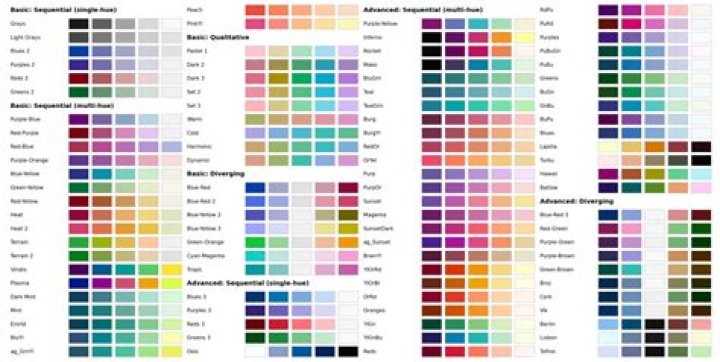
Sequential and diverging palettes in base R
In addition to the qualitative palettes above, base R also has a new function hcl.colors() since version 3.6.0 that makes many sequential and diverging palettes available that are also robust under color vision deficiencies. It provides approximations (derived using the hue-chroma-luminance color model) to many palettes from ColorBrewer.org, viridis, CARTO colors, Crameri's scientific colors etc. The default is the popular viridis palette. The following blog post provides more details and the paper about the colorspace package explains more related/underlying work.
- Zeileis, Murrell (2019). "HCL-Based Color Palettes in grDevices." The R Blog.
- Zeileis, Fisher, Hornik, Ihaka, McWhite, Murrell, Stauffer, Wilke (2020). "colorspace: A Toolbox for Manipulating and Assessing Colors and Palettes." Journal of Statistical Software.
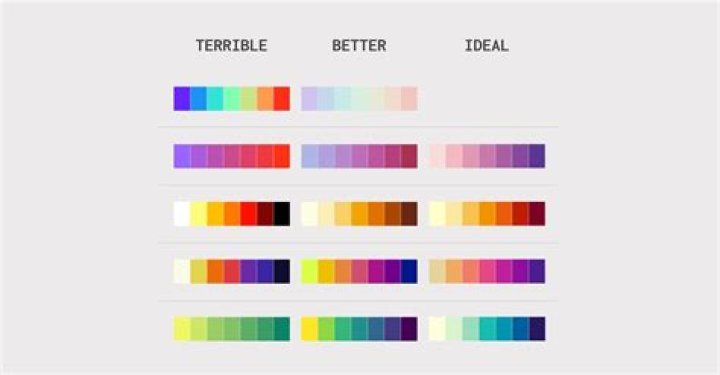
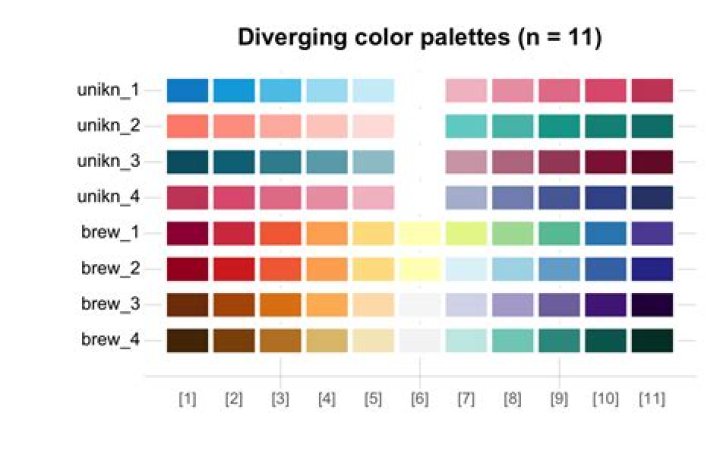
To create a custom color palette in base as listed in the question figure:
customvermillion<-rgb(213/255,94/255,0/255) custombluegreen<-rgb(0/255,158/255,115/255) customblue<-rgb(0/255,114/255,178/255) customskyblue<-rgb(86/255,180/255,233/255) customreddishpurple<-rgb(204/255,121/255,167/255) Then when referencing in
plot()
Instead of using parameter:
plot(mtcars$mpg,mtcars$hp,col=c("orange","skyblue"))
Use parameter:
plot(mtcars$mpg,mtcars$hp,col=c(customorange,customskyblue))
You could generate the pallete with a package and generate the 'hard coded' code that recreates them with base R only. Here for example 4 colours from all colourbrewer palletes in a data frame:
# install.packages('RColorBrewer') palletes <- structure(c("#A6611A", "#D01C8B", "#7B3294", "#E66101", "#CA0020", "#CA0020", "#D7191C", "#D7191C", "#D7191C", "#7FC97F", "#1B9E77", "#A6CEE3", "#FBB4AE", "#B3E2CD", "#E41A1C", "#66C2A5", "#8DD3C7", "#EFF3FF", "#EDF8FB", "#EDF8FB", "#F0F9E8", "#EDF8E9", "#F7F7F7", "#FEEDDE", "#FEF0D9", "#F1EEF6", "#F6EFF7", "#F1EEF6", "#F2F0F7", "#FEEBE2", "#FEE5D9", "#FFFFCC", "#FFFFCC", "#FFFFD4", "#FFFFB2", "#DFC27D", "#F1B6DA", "#C2A5CF", "#FDB863", "#F4A582", "#F4A582", "#FDAE61", "#FDAE61", "#FDAE61", "#BEAED4", "#D95F02", "#1F78B4", "#B3CDE3", "#FDCDAC", "#377EB8", "#FC8D62", "#FFFFB3", "#BDD7E7", "#B2E2E2", "#B3CDE3", "#BAE4BC", "#BAE4B3", "#CCCCCC", "#FDBE85", "#FDCC8A", "#BDC9E1", "#BDC9E1", "#D7B5D8", "#CBC9E2", "#FBB4B9", "#FCAE91", "#C2E699", "#A1DAB4", "#FED98E", "#FECC5C", "#80CDC1", "#B8E186", "#A6DBA0", "#B2ABD2", "#92C5DE", "#BABABA", "#ABD9E9", "#A6D96A", "#ABDDA4", "#FDC086", "#7570B3", "#B2DF8A", "#CCEBC5", "#CBD5E8", "#4DAF4A", "#8DA0CB", "#BEBADA", "#6BAED6", "#66C2A4", "#8C96C6", "#7BCCC4", "#74C476", "#969696", "#FD8D3C", "#FC8D59", "#74A9CF", "#67A9CF", "#DF65B0", "#9E9AC8", "#F768A1", "#FB6A4A", "#78C679", "#41B6C4", "#FE9929", "#FD8D3C", "#018571", "#4DAC26", "#008837", "#5E3C99", "#0571B0", "#404040", "#2C7BB6", "#1A9641", "#2B83BA", "#FFFF99", "#E7298A", "#33A02C", "#DECBE4", "#F4CAE4", "#984EA3", "#E78AC3", "#FB8072", "#2171B5", "#238B45", "#88419D", "#2B8CBE", "#238B45", "#525252", "#D94701", "#D7301F", "#0570B0", "#02818A", "#CE1256", "#6A51A3", "#AE017E", "#CB181D", "#238443", "#225EA8", "#CC4C02", "#E31A1C"), .Dim = c(35L, 4L), .Dimnames = list( c("BrBG", "PiYG", "PRGn", "PuOr", "RdBu", "RdGy", "RdYlBu", "RdYlGn", "Spectral", "Accent", "Dark2", "Paired", "Pastel1", "Pastel2", "Set1", "Set2", "Set3", "Blues", "BuGn", "BuPu", "GnBu", "Greens", "Greys", "Oranges", "OrRd", "PuBu", "PuBuGn", "PuRd", "Purples", "RdPu", "Reds", "YlGn", "YlGnBu", "YlOrBr", "YlOrRd"), NULL)) Here's the code used to generate this:
number_of_colors <- 4 pallete_names <- rownames(RColorBrewer::brewer.pal.info) pallete_color_generator <- RColorBrewer::brewer.pal # make color hexcodes: palletes<-lapply(pallete_names, pallete_color_generator, n = number_of_colors) # turn into matrix: palletes<-do.call(rbind,palletes) rownames(palletes)<-pallete_names # dump hard-coded R code to create the object to the console: dump('palletes','') The color scales in the viridis package are all color blind accessible.
If you need to use colors by name like in the pdf you linked to, match colors from the viridis palettes to the named list of colors. For 4-8, this is pretty easy to do visually.




