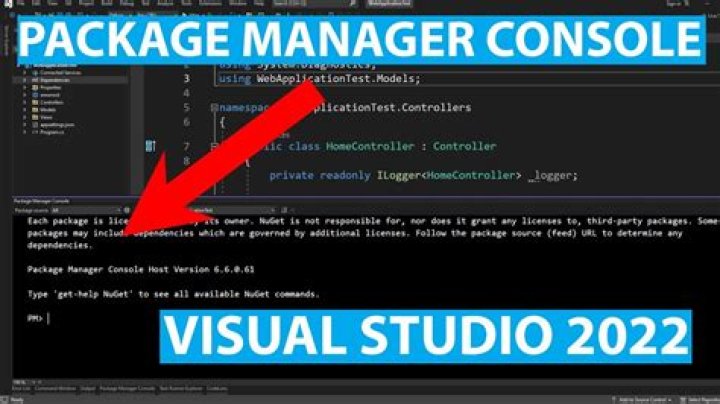
When trying to scaffold with asp.net core this command
scaffold-dbcontext "Data Source=(local);Initial Catalog=MyDb;Integrated Security=True;" Microsoft.EntityFrameworkCore.sqlserver -outputdir Models Gives this error.
scaffold-dbcontext : The term 'scaffold-dbcontext' is not recognized as the name of a cmdlet, function, script file, or operable program. Check the spelling of the name, or if a path was included, verify that the path is correct and try again. At line:1 char:1
+ scaffold-dbcontext "Data Source=(local);Initial Catalog=MyDB;In ... + ~~~~~~~~~~~~~~~~~~ + CategoryInfo : ObjectNotFound: (scaffold-dbcontext:String) [], CommandNotFoundException + FullyQualifiedErrorId : CommandNotFoundException
I have tried the solution here, but it does not work for me.
Any idea what the cause/cure could be?
212 Answers
For me apparently it worked once I have also ran in Package Manager console :
Install-Package Microsoft.EntityFrameworkCore.Tools Also make sure :
To have other dependencies (for example Microsoft.EntityFrameworkCore, Microsoft.EntityFrameworkCore.SqlServer, Microsoft.EntityFrameworkCore.SqlServer.Design...) referenced depending of your needs.
To select the right assembly as target for your commands in the top-right corner of the PM console (I am frequently fooled by forgetting it...)
Another problem I encountered : with the dbcontext located in a separate class library, I was encountering the following error :
Unable to find provider assembly with name Microsoft.EntityFrameworkCore.SqlServer. Ensure the specified name is correct and is referenced by the project.
Which I was able to fix by setting my class library as Startup project in VS (don't ask why as it seems meaningless, but it worked).
Late edit, there's something else to know : You can't run Scaffold-DbContext against a class library targetting only .Net Standard, you must also enable netcoreapp in it, or Scaffold-DbContext will complain. To support both targets, edit the csproj to put : <TargetFrameworks>netcoreapp2.2;netstandard2.0</TargetFrameworks> Instead of <TargetFramework> section.
After all these you'll be able to run your Scaffold-DbContext command line with proper arguments and connection string.
-- 2022 update --
I'm glad to see that post is still helpful as it receives some new upvotes, but instead of command-line scaffolding, there's a newer solution for the happy users of VS : you can rely on the retro-engineering feature of the extension EF Core Power tools.
I'm using it in all my new projects since a while and I find it much more powerful than raw command line, and it allows you to save your execution settings (which will avoid you to create a .bat with your custom command line). Of course, it's your choice.
6Had the same problem. In my case i was missing some dependencies, so make sure that you have the following one :
- Microsoft.EntityFrameworkCore
- Microsoft.EntityFrameworkCore.SqlServer
- Microsoft.EntityFrameworkCore.Tools

Hope this would help. :)
1- Make sure that this is available in your project.json file "Microsoft.EntityFrameworkCore.Tools.DotNet": "1.0.0-preview3-final".
- Run the command in the package manager console
that's all it will work
2Make sure you run VS as Administrator and have installed the following packages:
- Microsoft.EntityFrameworkCore.SqlServer
- Microsoft.EntityFrameworkCore.SqlServer.Design
- Microsoft.EntityFrameworkCore.Tools
Scaffold command is part of dbcontext command in EF. Below are the details for successful scaffold:
Package references required:
<PackageReference Include="Microsoft.EntityFrameworkCore" Version="3.0.0"/> <PackageReference Include="Microsoft.EntityFrameworkCore.Tools" Version="3.0.0"/> <PackageReference Include="Microsoft.EntityFrameworkCore.SqlServer" Version="3.0.0"/> <PackageReference Include="Microsoft.EntityFrameworkCore.Design" Version="3.0.0"/> So our scaffold command should look like:
dotnet ef dbcontext scaffold "Server=localhost\SQLEXPRESS;Database=MyDatabase;Trusted_Connection=True;" Microsoft.EntityFrameworkCore.SqlServer -o OutputDirectory Your Server value might differ as per your Db server name. Replace MyDatabase with your Database name like master and OutputDirectory to the location you want your newly created scaffolded classes like Models folder.
Make sure you are using the right console, the "Package Manager Console". There is also a "Terminal" console which looks very similar, but doesn't work for this command. Package Manager Console can be found in View -> Other Windows (as of Visual Studio 2019, ver. 16.6.5, Windows OS)
2I had installed Microsoft.EntityFrameworkCore.Tools from NuGet Package Manager and it was visible in the installed packages. But I kept getting this error.
Restarting Visual Studio (2019/Version 16.4.4) fixed it for me.
With VS2022, none of them worked.
But I installed EF
dotnet tool install --global dotnet-ef
and changed the code;
dotnet ef dbcontext scaffold "Server=servername;Database=dbname;Persist Security Info=True;User ID=XXX;Password=YYY;" Microsoft.EntityFrameworkCore.SqlServer -o Models
Also I had to install .Net 6.0 hosting bundle
1If you're using .NetCore 2.2 then the command below works like a charm for me either in Command Prompt (CMD) or on Git Bash.
Make sure that you are directly on the project folder before running the command.
For example C:\App\ProjectName:
dotnet ef dbcontext scaffold "Server=.\;Database=Databasename;Trusted_Connection=True;" Microsoft.EntityFrameworkCore.SqlServer -o Model For me this error was caused by extra spacing was added around the hyphens, which was for some reason added when copy pasting from the command from the docs. Removing the spacing fixed it.
causes error:
Scaffold - DbContext "Server=(localdb)\mssqllocaldb;Database=myDbName;Trusted_Connection=True;" Microsoft.EntityFrameworkCore.SqlServer - OutputDir Models the fix:
Scaffold-DbContext "Server=(localdb)\mssqllocaldb;Database=myDbName;Trusted_Connection=True;" Microsoft.EntityFrameworkCore.SqlServer -OutputDir Models The docs also say if you receive this error, try restarting Visual Studio.
0I ran into another cause of this error recently: NuGet itself was out of date.
Updating NuGet resolved the issue.
If Devanathan's answer doesn't work for you, check to make sure NuGet itself is up to date.
If your solution has more than one project and the EF files are not in the startup project, make sure you choose the correct project here